Oil paint, on a phone
Most painting apps
paint a picture of oil.
This one
lays it on thick.
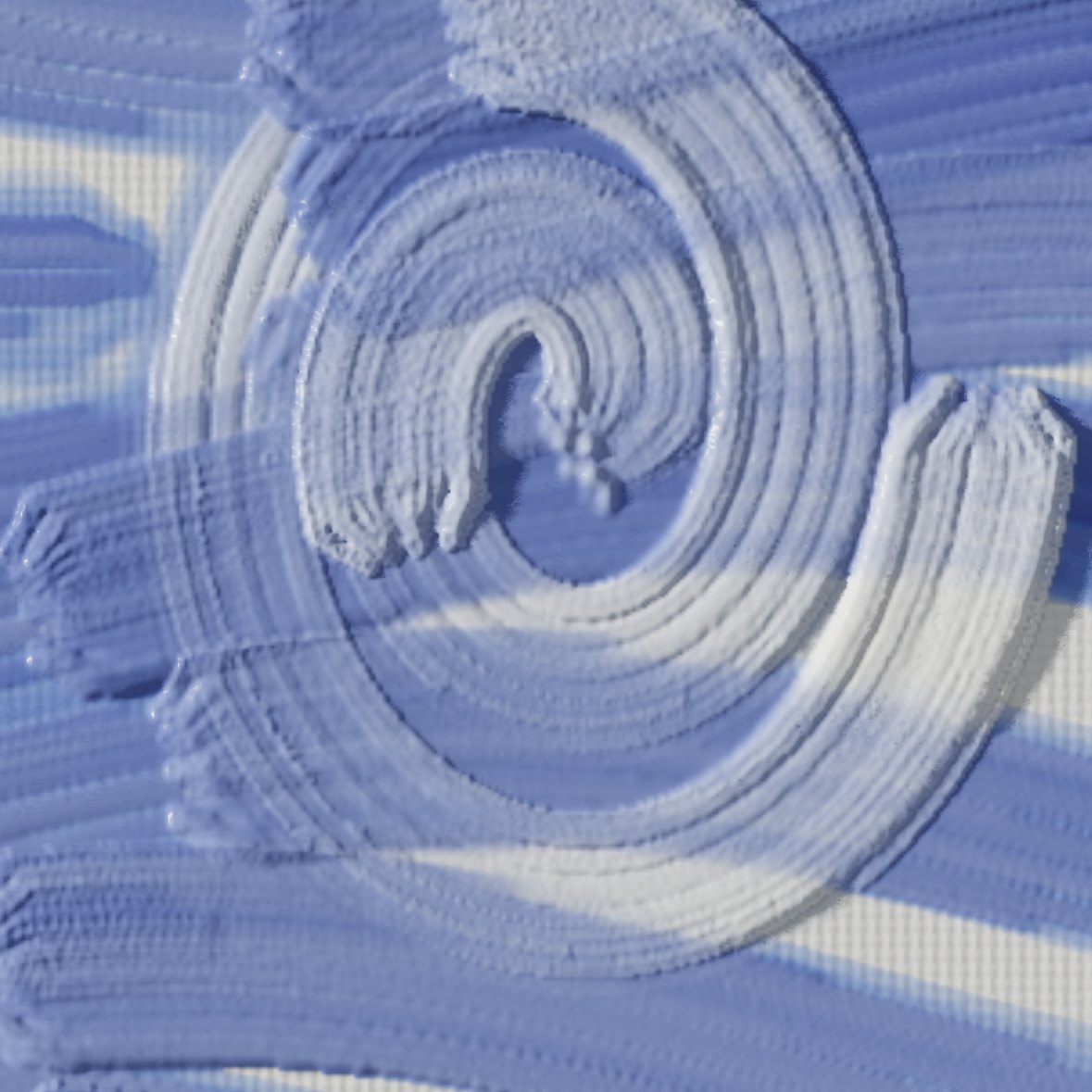
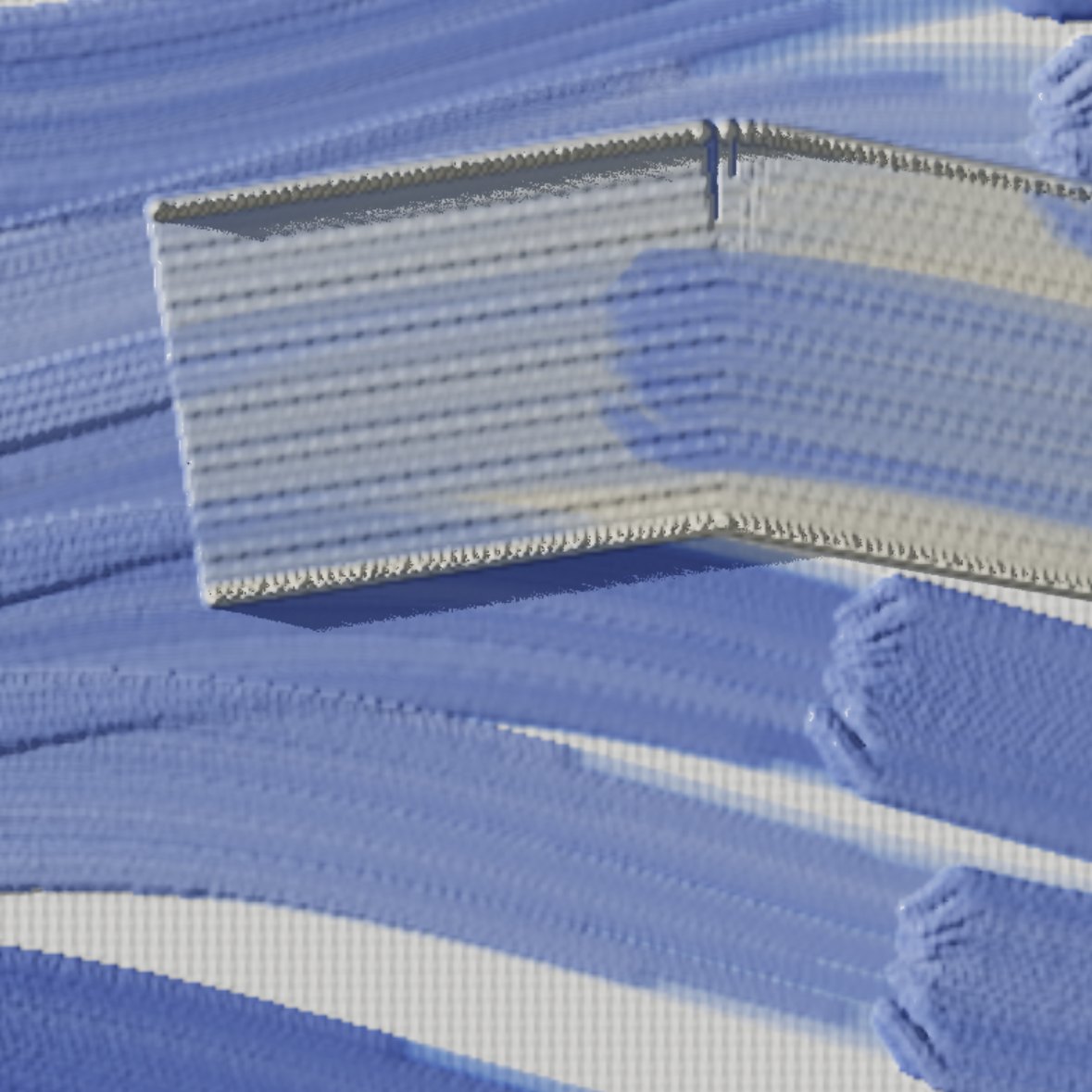
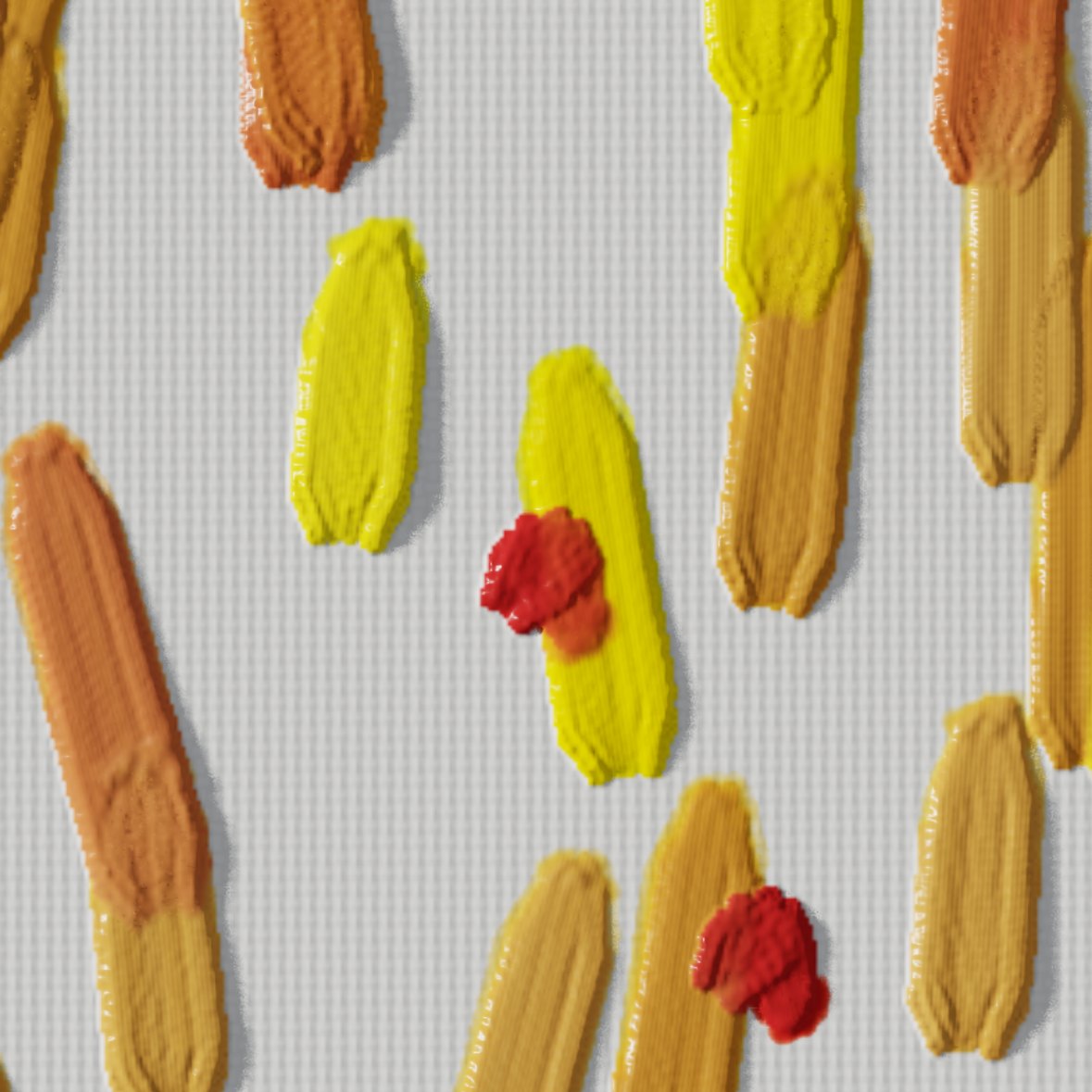
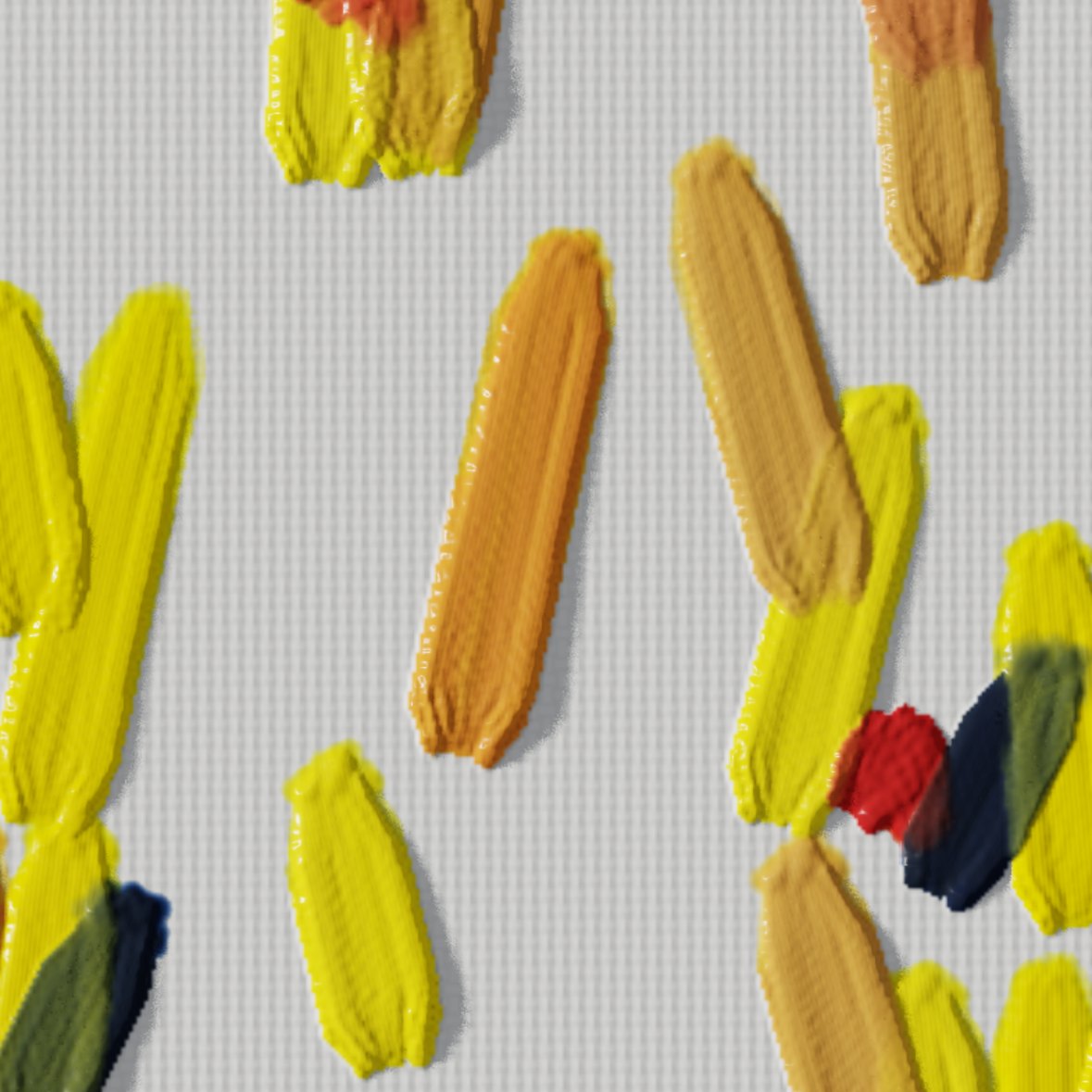
Crops of a study painted by the app's own engine, lit by a lamp low on the left. I rendered them in a browser with the same page the app runs, not photographed from a phone. Nothing added.
I wanted paint with a body. In Enogu it stands up off the canvas, mixes the way pigments do, and is lit from somewhere, so when you tilt the phone the light moves across it. The painting is a thing you hold, not a picture you look at.
Coming to the App Store
iPhone. No account, no ads, nothing sent anywhere.
The intent
The painting is an object,
not an image.
A painting on canvas is a thing in a room. It has a surface, it is lit from somewhere, and it looks different as you move. Digital painting apps show an image of one. I built this one by refusing that: by treating the paint as a material, and the phone as the object it sits on.
I wrote down three physical claims before any design, and I checked every decision since against them. Anything that broke one would be a lie you'd feel as a painter, even without being able to name it.
- Paint is a substance with volumeIt stands up, it runs out, and a spent brush moves the paint already there instead of adding more.
- Colour mixes as pigments doBlue and yellow make green, and titanium white bullies everything it touches.
- A painting has a surfaceIt is lit from somewhere, and it changes as you move it.
The object
The paint
A substance,
not a colour.
I wanted every spot on the canvas to hold an amount of paint, wet and dry. Your brush carries paint in two places, starts every stroke freshly loaded, lays it on with a lip where it lifts, and runs dry along a long stroke. Eight named pigments mix by how they absorb and scatter light, and I checked them against real paint. A mix is a recipe in parts, so dirt on the canvas never spoils it. And paint dries, so you can glaze over it.
Seeing
Paint is seen
by the light on it.
Depth is about a fifth geometry and four fifths light.
What I learned early: a perfect relief under a fixed light looks like embossed plastic; a modest one under a light that moves as you move looks like paint. So I light the paint with one lamp, never evenly: light rakes across the ridges, wet paint shines and dry paint sinks, the bristles leave grooves that catch the highlight, and a glaze lets light through to the ground and back. Mirror shows you the painting fresh, the way painters flip a canvas. And I made the light cheap enough to move freely: where paint changes, its colour is worked out once, and every frame only lights it.
The medium
The phone as the medium
A panel you hold,
not a window you look through.
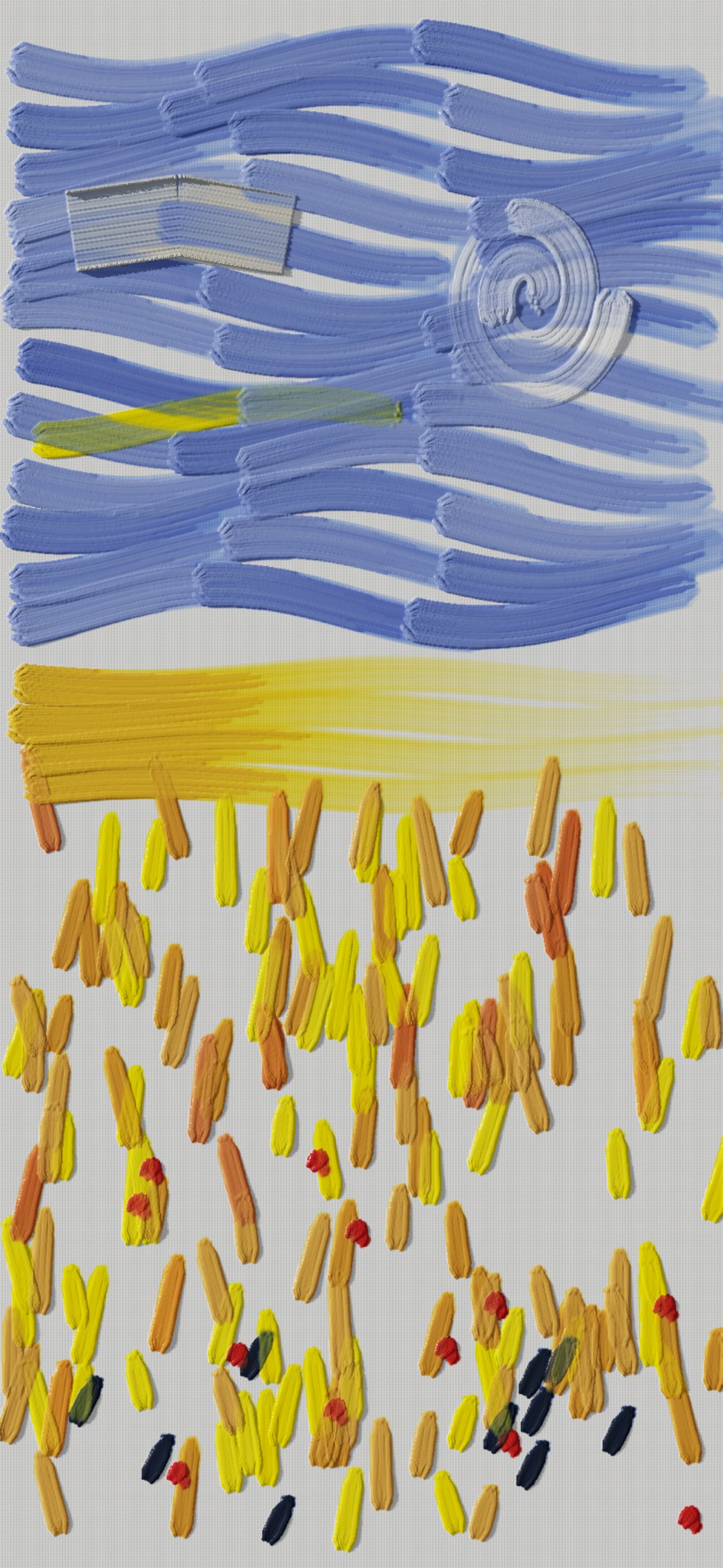
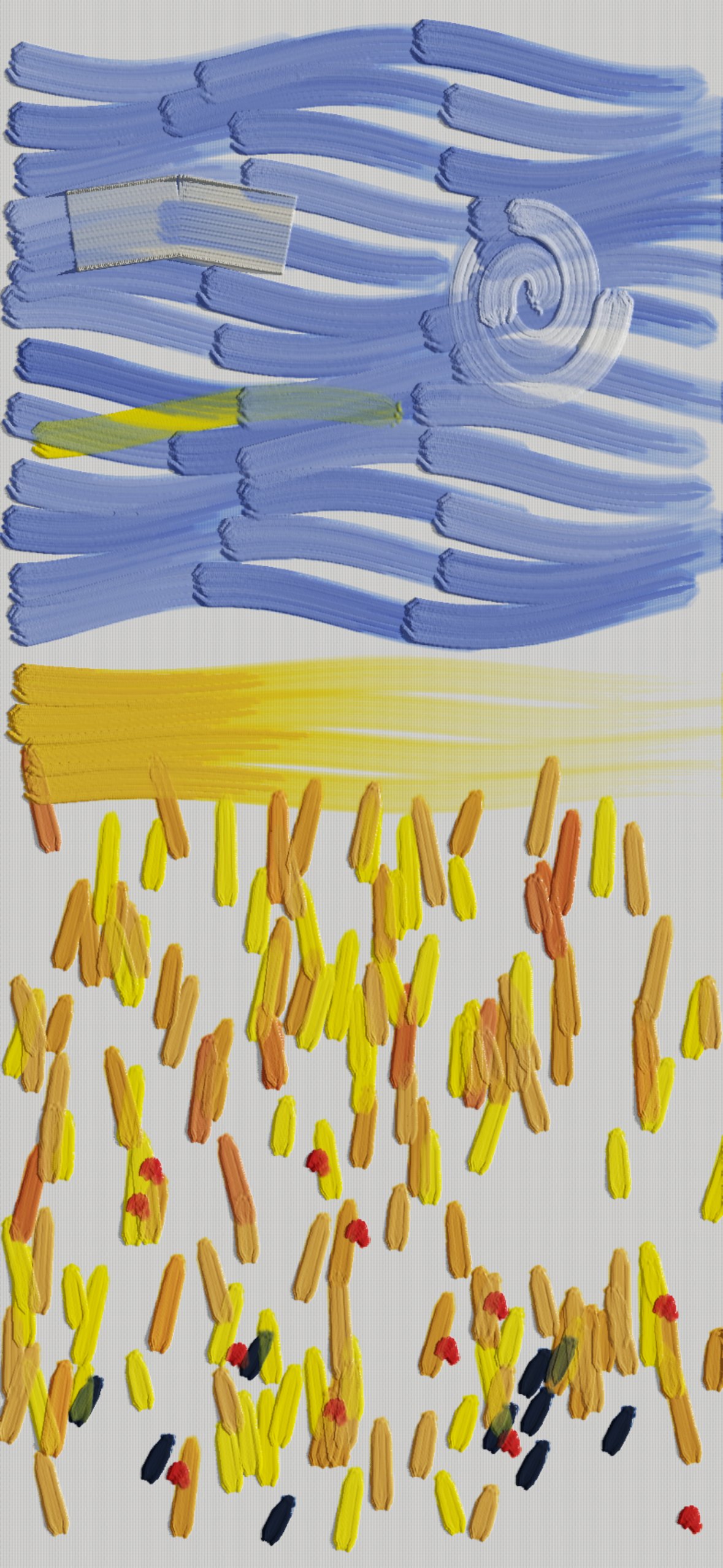
You hold a phone the way you hold a small panel, and unlike a monitor it knows how it's being held. So I made its senses your means of expression. Its tilt moves the light across the paint, as turning a canvas to a window does. Knowing which way is down keeps the light, and the paint's landing spot above your finger, where they belong however you turn the phone. How much of your finger is on the glass gives the brush its pressure. And the screen's shape is the canvas's shape, with the controls in its corners, under your thumbs.
The hand
Your finger never covers
the paint it lays.
On a phone your finger is the brush, and it hides exactly what it touches. Every fix I found was made for pointing at things, not for watching a mark being made. So the paint lands just above your fingertip, always the same distance, like the tip of a pen, and an outline of the brush shows the spot before any paint goes down. I set the distance by the widest brush, so every brush clears your finger; "above" follows how you hold the phone.
I built two cleverer answers and removed both: one asked you to operate something, and the other moved the paint around in ways you couldn't predict. The rule I took from it: the app should correct itself, not ask, and never surprise.
The tool
The controls
A quarter of a radial,
in each corner.
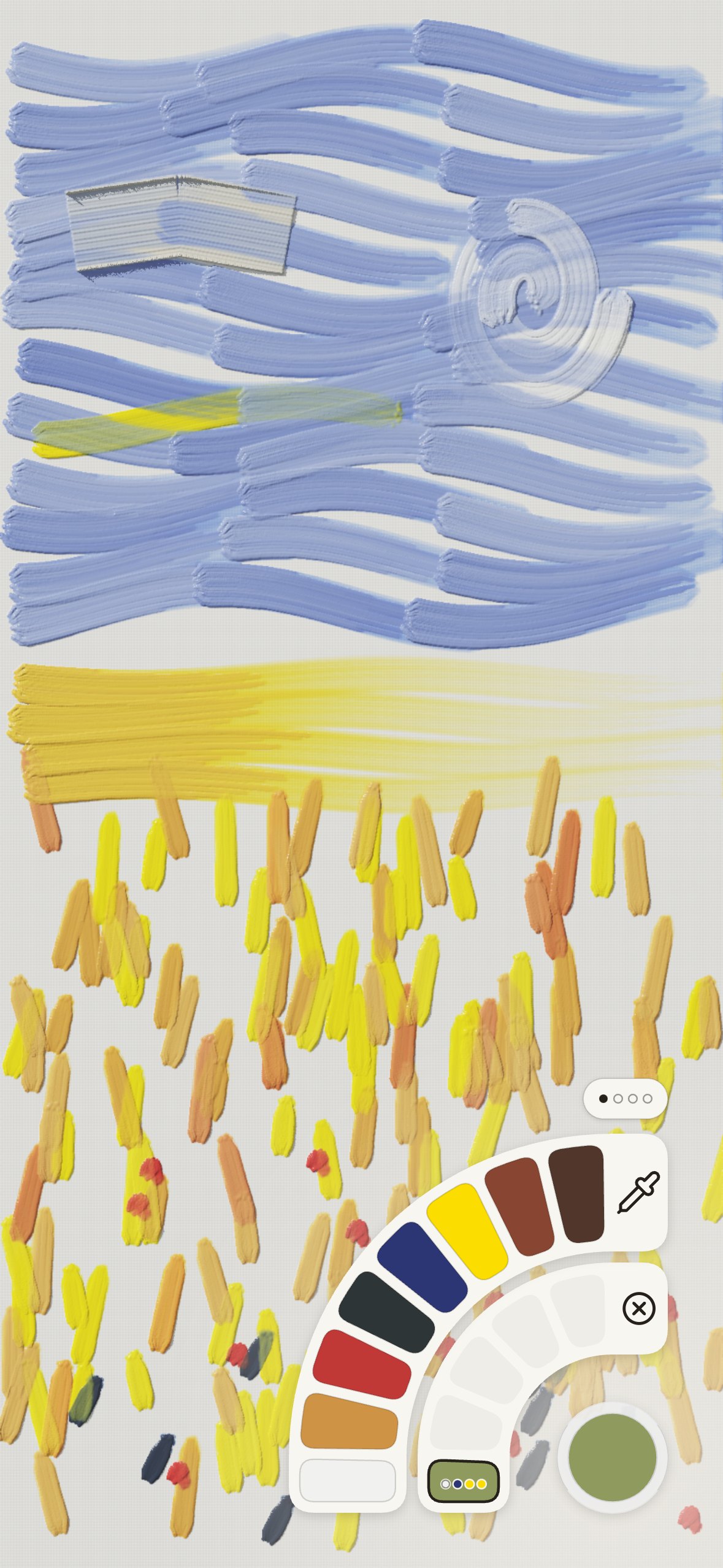
A full radial menu doesn't fit a phone, but a quarter fits a corner exactly. So I put a round button in each corner, and the bottom two open rings that follow the screen's rounded corner: inside, what you keep, your mixes and your brushes; outside, what you choose from. Press one and slide out, and the same movement opens the rings and lands on a choice; lift to take it. It's a marking menu: at first you look, and soon your hand makes the same short stroke without looking, and your eye stays on the painting.
Ease of use
Nothing to learn
before you paint.
Open it and the canvas is there, in about two seconds. The thing a painter does most, reloading the brush, takes nothing: every stroke starts with fresh paint. Slide a finger across the brushes or colours and each names itself, and a brush says what it's for. Your paintings keep themselves, with nothing to save or name. A slip costs nothing: undo is a tap away, and a touch beside a button is caught by the button, not left on the painting. And I made the app easier by taking things out as often as by adding them.
From a photo
The same engine,
painting like a painter.
To see how far the paint can go, I built a robot painter that works from a photograph with nothing but the app's own brushes, pigments and strokes. It paints the way a trained painter does: the big shapes first, seen through a squint, with broad brushes; strokes that follow the form; the small brushes only where the subject is, and the rest left loose; thin paint first and thick paint last. Every colour is mixed from the same eight pigments you have. Its paintings come with the app, in Your paintings, for you to tilt and paint over.
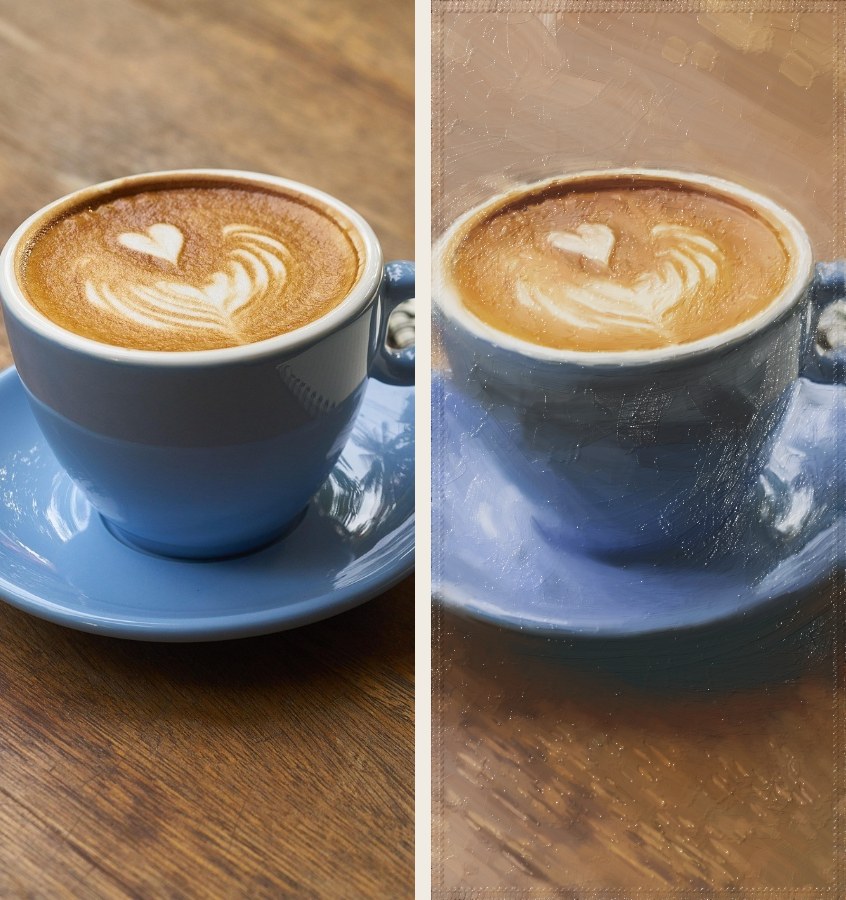
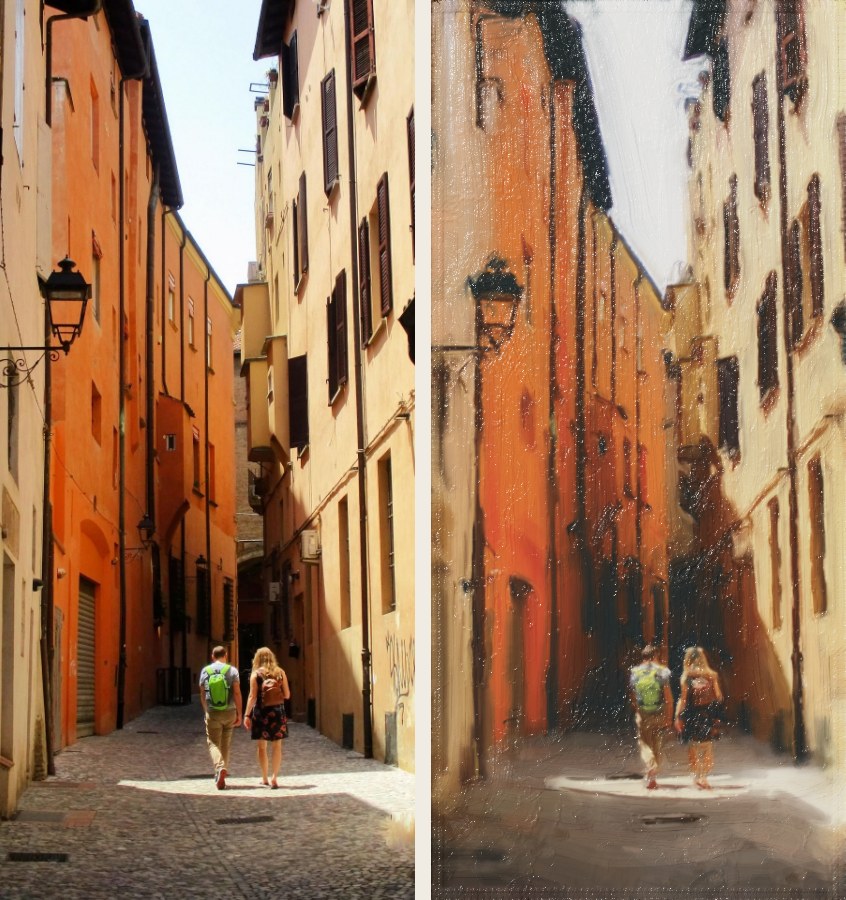
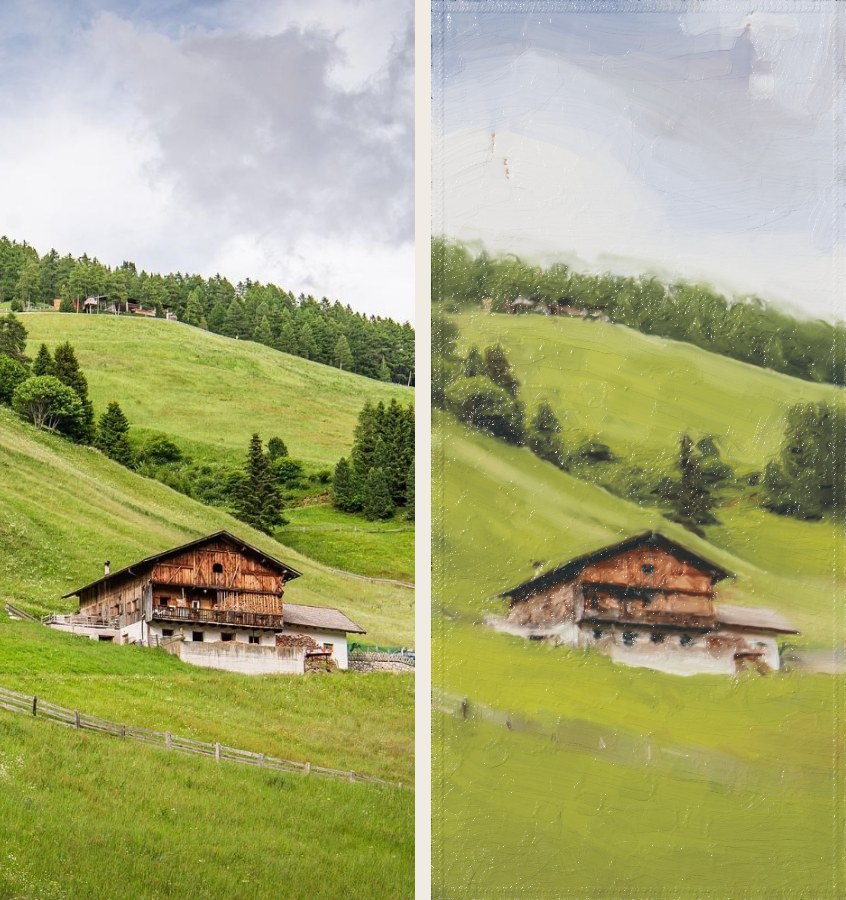
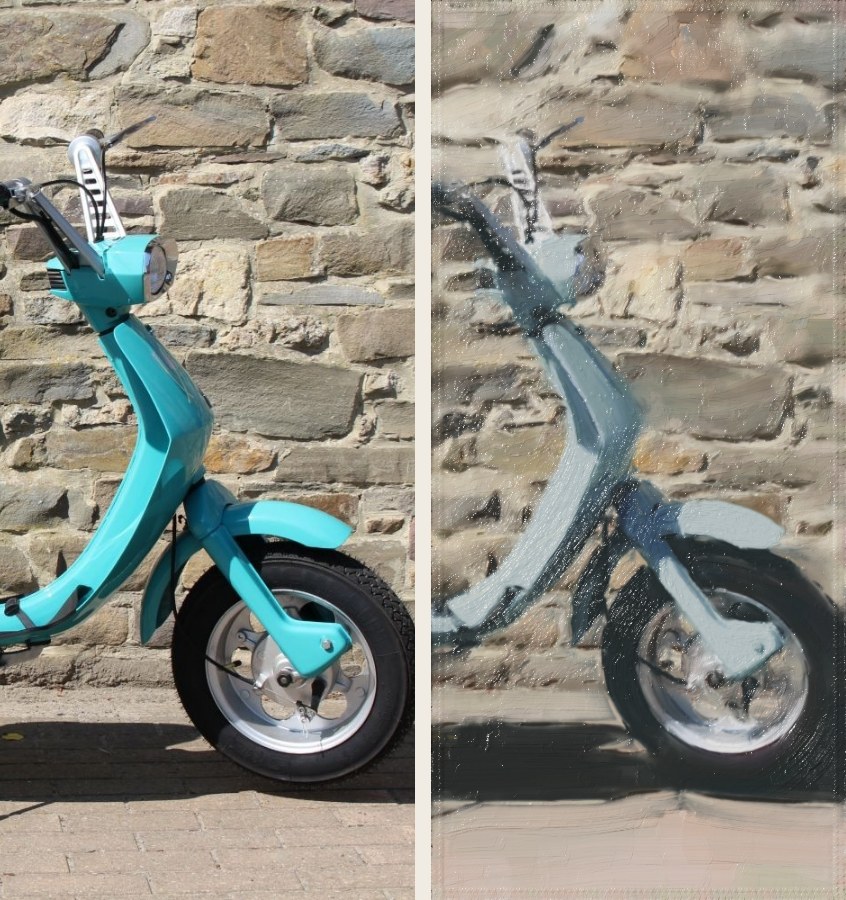
Each pair: the photograph, and the painting. Painted stroke by stroke by the app's engine in a browser, under its raking lamp; no painting retouched. The scooter's small maker's badge was taken out of its photo before painting, and the eight pigments can't mix a turquoise, so it came out a greyer blue. Photographs from Pixabay, used under the Pixabay Content License: the latte by Engin_Akyurt, the street in Bologna by Marion_22, the Alpine farmhouse by MARTINOPHUC, the scooter by Coba1406.
In the studio
What else is on the easel.
- An eyedropperTouch the painting, watch the loupe, lift, and that colour becomes your mix.
- Your five brushesEach at its own size, and behind them nine brushes, a knife and a rag.
- TraceLay a photo of your own over the canvas and paint over it.
- Undo and redoUndo is the button under the eye, top right, or a two-finger tap; redo is in the eye's column.
- Paintings that keep themselvesNo save button. Your paintings holds every one, with a new canvas at the front.
- Save as an imageAt up to 4096 pixels on the long side, through the iPhone's share sheet.
No account, no server, no analytics: your paintings stay on your phone, and nothing in the app sends anything anywhere. I don't want your data.
The evidence
I researched every principle.
Behind each decision is an investigation, kept as it was written, including the ideas I built and then ruled out.